FairPlay Streaming Deployment Package
This article provides a general overview and describes the initial steps of acquiring a FairPlay Streaming Deployment Package from Apple and share generated data with Axinom.
Overview
To get started using Apple FairPlay Streaming with Axinom DRM, you need to:
- Register as an FPS development team with Apple to apply for the FPS Deployment Package (https://developer.apple.com/streaming/fps/)
- Obtain a customer-specific FPS data set
- Share this data with Axinom to enable FPS communication between your FPS Playback Application and Axinom DRM License Services.
In an evaluation environment, Axinom’s own FPS Data Set can be used to speed up initial playback trials. Find more details here.
Obtain Apple FPS Deployment Package and FPS Data Set
As a licensed content owner, you need to register your development team with Apple to receive FPS Deployment Package. Then according to the instructions, you can generate the FPS Data Set which shall be shared with Axinom to facilitate secure FPS communication between your apps and Axinom DRM License Service.
-
Sign up with Apple Developer Program
The registration of an Apple development team is required to apply for the FPS Deployment Package. For more information, visit the Apple site.
-
Apply for an FPS Deployment Package
Once registered, the Team Agent of the development team can apply for the FPS deployment package. You can find the application form here.
The package includes further instructions on how to complete the deployment process.
-
When prompted, confirm that the FPS Key Security Module (KSM) has already been implemented and tested and that you are requesting the final FPS package. The functionality of KSM is implemented by Axinom.
-
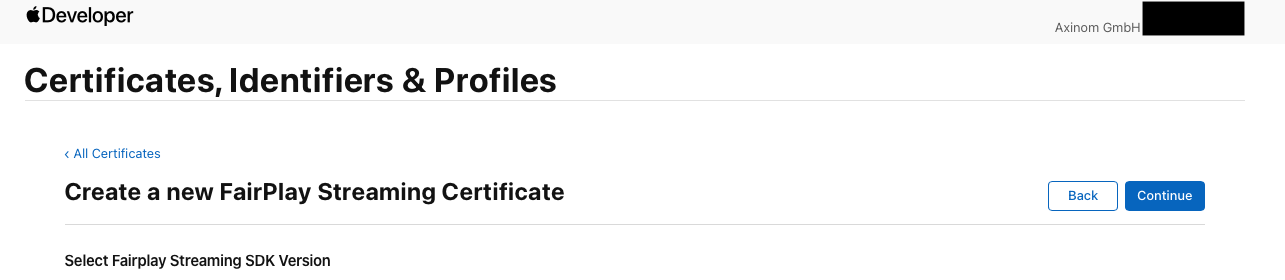
You will be asked to select FairPlay Streaming SDK Version. Axinom supports both SDK 26 (2048-bit key) and SDK 4.x (1024-bit key).
 important
Since September 2026, Axinom FairPlay DRM supports FairPlay Streaming SDK 26, including 2048-bit FairPlay certificates. Certificates generated with the SDK 4.x workflow remain fully supported.
Credentials created with FairPlay Streaming SDK 27 are also supported. Follow the SDK 26 steps in this guide to create and share them.
If you don’t get any response from Apple after a week of the above form submission, we would recommend you write an email to fpsrequest@apple.com mentioning your query.
-
-
Create your FPS Data Set
You will receive a PDF with detailed instructions on how to create your FPS credentials in the FPS deployment package. The steps are the same for both SDK versions, except where noted.
Steps:
-
Generate a password protected Private Key (PK) and a Certificate Signing Request (CSR) following Apple's guidelines, as provided in the shared PDF.
-
SDK 4.x: generate one 1024-bit key and CSR:
openssl genrsa -aes256 -out privatekey.pem 1024openssl req -new -sha1 -key privatekey.pem -out certreq.csr -subj "/CN=SubjectName/OU=OrganizationalUnit/O=Organization/C=US" -
SDK 26: generate both a 2048-bit and a 1024-bit key and CSR. Apple requires both, because older Apple devices still use the 1024-bit certificate.
openssl req -new -newkey rsa:2048 -keyout privatekey_2048.pem -out certreq_2048.csr -subj "/CN=SubjectName/OU=OrganizationalUnit/O=Organization/C=US"openssl req -new -newkey rsa:1024 -keyout privatekey_1024.pem -out certreq_1024.csr -subj "/CN=SubjectName/OU=OrganizationalUnit/O=Organization/C=US"
noteWhen you run these commands, you will be asked to enter a PEM pass phrase. Save it in a secure place; you will need it in later phases.
-
-
Log in to the Apple Developer Portal. Go to
Certificate, IDs & Profilesmenu and proceed creating theFairPlay Streaming Certificate. -
Upload the CSR file you created. For SDK 26, upload both CSR files; the Continue button stays disabled until both are uploaded.
-
Save the secret Apple gives you. Store it securely; you can't regenerate it.
- SDK 4.x: the ASK is displayed. Copy and save it.
- SDK 26: download the provisioning data file. It replaces the ASK.
-
Download the certificate to share with Axinom DRM. For SDK 26, this is a certificate bundle, a single file that contains both the 1024-bit and the 2048-bit certificate.
Now the final FPS Data Set includes the following:
SDK 26 (2048-bit key) SDK 4.x (1024-bit key) FairPlay Streaming Certificate bundle FairPlay Streaming Certificate (.cer) Private Key (PK) in PEM format Private Key (PK) in PEM format Provisioning data 16-byte FPS Application Secret Key (ASK) (represented by 32 hex characters) -
Share FPS Data Set with Axinom
The FPS Data Set is required by Axinom DRM to communicate with your FPS Playback Applications. Axinom provides a FairPlay Data Set upload tool and a Management API endpoint to securely share and manage these data. If you have more than one environment, you have to provide an FPS Data Set for each environment separately, although you can use the same FPS Data Set for each environment.
Please read Sharing FPS data set with Axinom for more details.